
Price action · Pine Script v6
Downloads —NEW*
PattySwingPlus
Tracks a New York open sequence from the premarket range through a key-level tap and gap inversion.
How it works
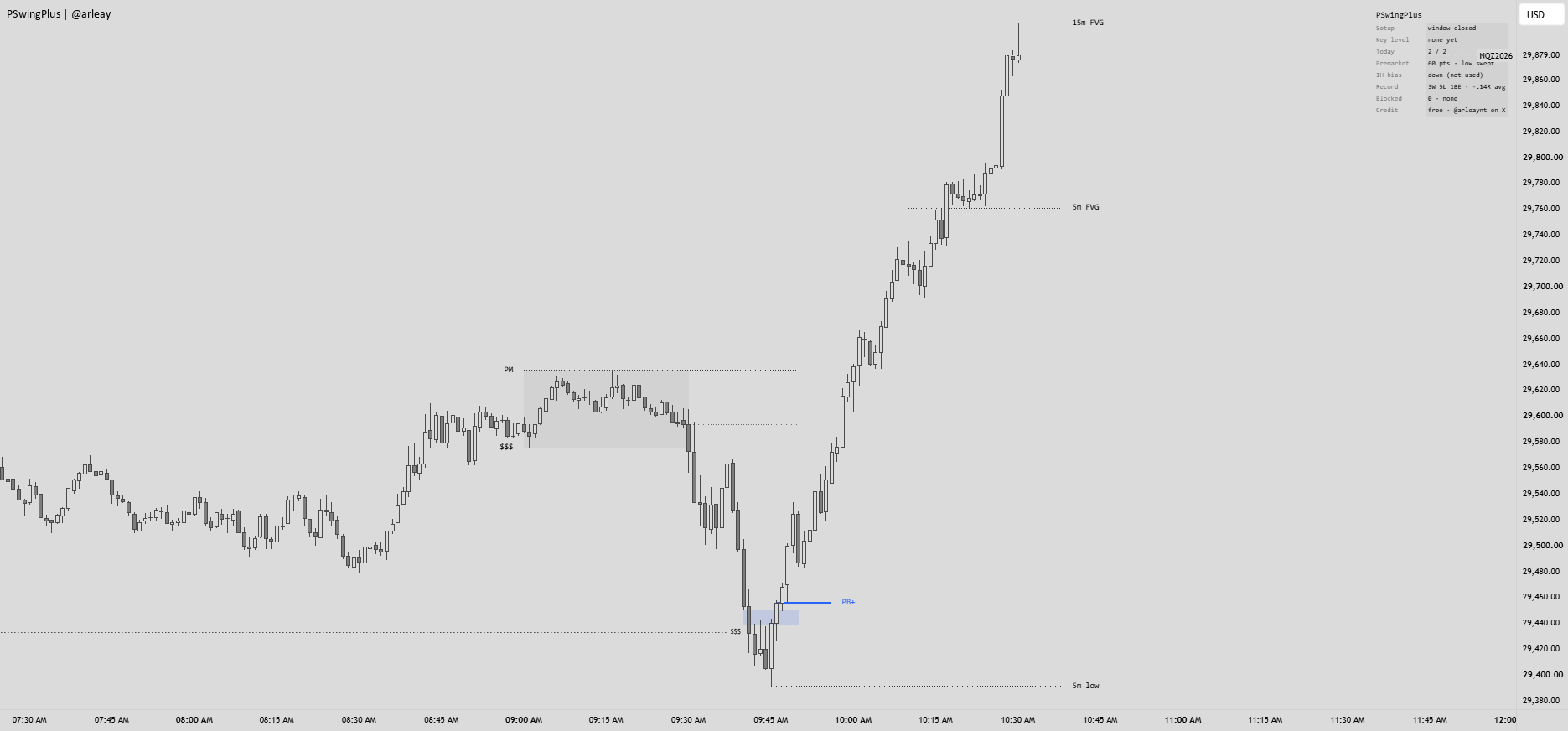
PattySwingPlus follows one New York open setup. It tracks the 09:00–09:30 premarket high and low, then waits for price to tap an unfilled higher-timeframe gap or trade through a 5-minute or 1-hour swing after 09:30. A chart-timeframe gap must form at the extreme of the opening move; a later closed bar that closes through the gap’s far edge marks PB+ or PB−. A tap alone is not an entry, and each tapped level is used once.
Core mode uses that sequence. Filtered mode adds optional checks for 1-hour EMA bias, a compact premarket range, a premarket sweep, a strong inversion candle, and a clean opening leg. These checks can be switched on or off.
Trade plan and features
The default entry window ends at 09:50 New York time. The stop is placed beyond the opening-move extreme with a two-tick buffer. The target is the nearest key level at least 1R away, or 1R if no level qualifies. A key level between entry and target can move the stop to breakeven, and open trades time out at 11:00. These are chart marks and script bookkeeping; no orders are placed and the recorded results are not broker fills.
- Minimal and Full display modes, with setup tags, gaps, levels and trade lines.
- Setup panel showing the current stage, bias, trades, record and blocked setups.
- Adjustable entry window, risk limits, display layers and trade settings.
- Long and short alerts when a setup completes on a closed bar.
How to use
Use NQ or MNQ on a standard 15-second to 5-minute chart. Start with Core and Minimal, then compare Filtered on the same sessions. Check the panel’s Blocked row when a setup does not print.
Important details
Entry marks require a bar close and are not guaranteed fills. Higher-timeframe gaps appear after their source candle has completed. A 1-minute chart cannot show an inversion that happens inside one 1-minute bar. The entry window, stop cap, daily trade limit and open-trade limit can prevent a setup. Non-time-based charts such as Renko and Range are unsupported.