
Market structure · Pine Script v6
Downloads —
Quarter Sequence Stacks+
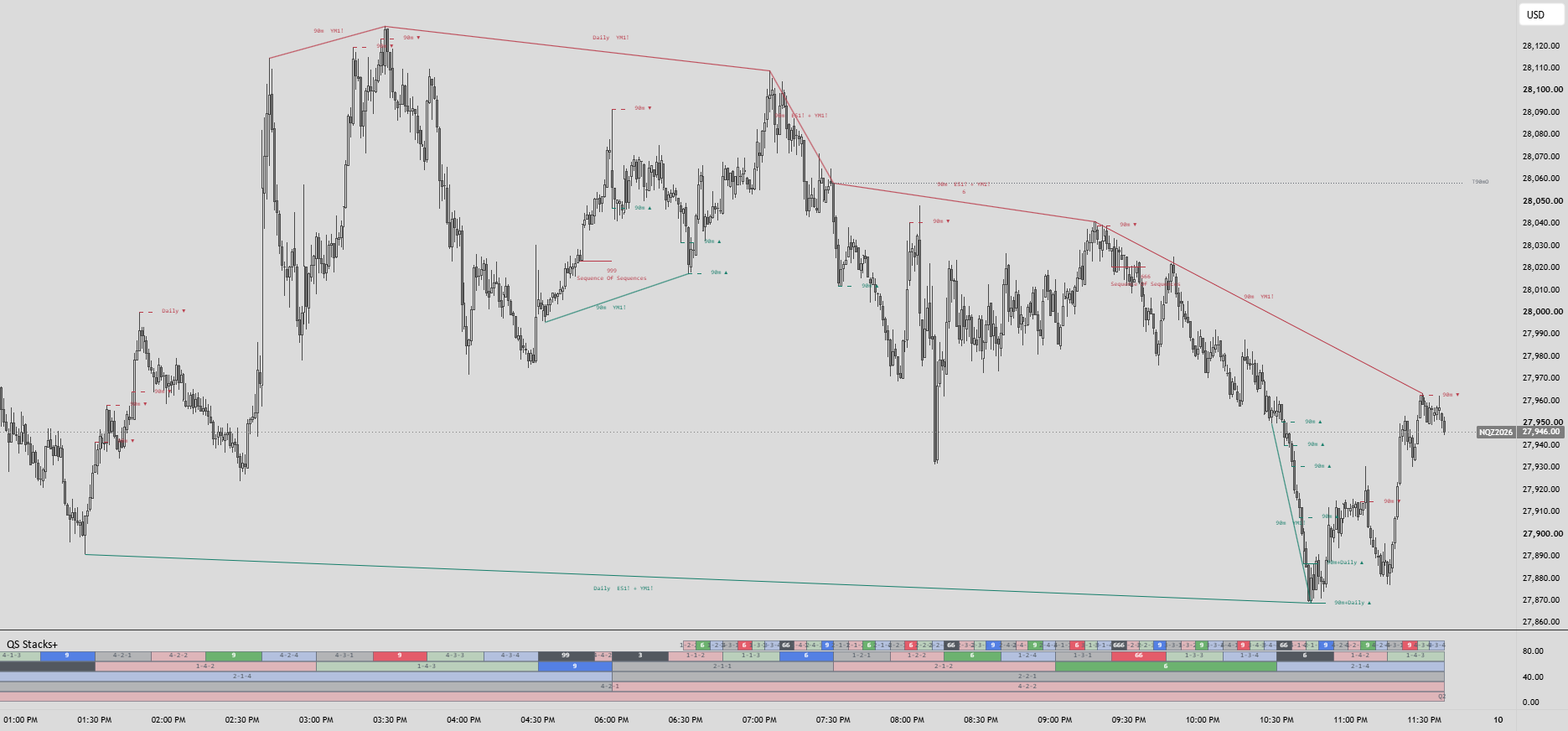
Shows Quarterly Theory cycles in a lower pane and marks intermarket divergences on the price chart.
How it works
Quarter Sequence Stacks+
Use a standard 1-minute chart for the full intraday layout. If the clock is missing, move the indicator to a new pane below.
How to read it
- Quarter rows — Nano, Micro, 90m, Daily, Weekly, and Monthly run on a New York clock. A triplet like 3-2-4 shows the quarter numbers for that row and its two parent cycles.
- Sequence badges — Triplets with a digital root of 3, 6, or 9 are highlighted. When consecutive tiers share a root, the digit repeats. For example, 99 marks two matching tiers and 999 marks three.
- SSMT lines — The script compares current and previous quarter highs and lows across symbols. If one takes an extreme and another holds it, the chart marks the divergence and names the peer.
- Stage markers — Nano+Mic+90m+Daily means those tiers had same-direction divergences around the same swing at bar close. Developing divergence lines can move or disappear before their quarter closes.
Getting started
The script can select index futures peers automatically, or you can set them manually to match your contracts.
Quarter rows and SSMT tiers have separate visibility controls. Nano’s clock row is on by default, while Nano SSMT is off. The 90m True Open, stage markers, and triple-sequence annotation are optional.
Use the clock and divergences for timing and intermarket context. A sequence badge or stage marker alone does not define a trade entry.